The most common advice about a Google rank tracking API is to use it as a database of exact keyword positions. That's the wrong mental model. Google's own data is valuable, but it measures how a site performs across real impressions, not a uniform set of location-specific rank checks. A useful tracker keeps those signals distinct, then adds clearly labeled external SERP checks when you need to know what a searcher sees in a particular place or device.
Table of Contents
What a Google Rank Tracking API Actually Measures
A Search Console position is not a daily rank check. The Search Analytics API returns clicks, impressions, click-through rate, and average position for a verified property, grouped by dimensions such as query, page, country, device, date, and search type. It records the property's observed search performance, not every result shown to every searcher.
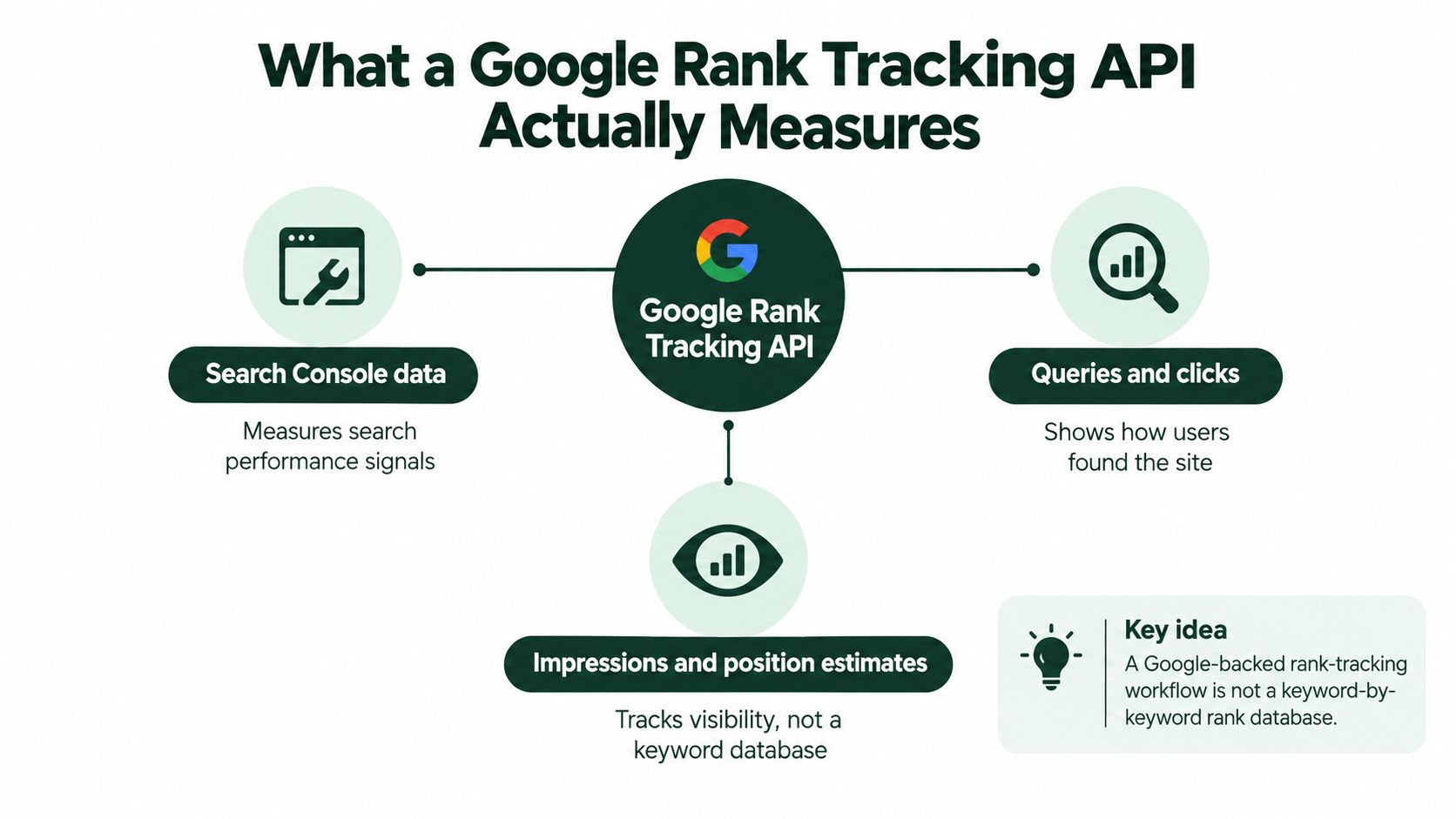
Average position is calculated from the topmost result for the property on each impression, then averaged across impressions. An external SERP checker can instead record one URL's position for a query in a specific location and device context. The figures answer different questions, so a tracker should label their sources rather than combine them into one rank score.
Keep three outcomes separate: classic position, feature presence, and clicks. Search Console helps aggregate owned-site performance and validate whether visibility earns traffic. Labeled external SERP checks can capture a specific result page, including whether a tracked feature appears. Search Analytics also supports different search types, such as web and image, but its average position remains an impression-based aggregate.
Treat position as one signal
A Shopify product page can gain impressions while its average position declines. One possible cause is another URL from the same store appearing for overlapping searches. Since Search Console measures the property's topmost result per impression, a changing mix of queries and URLs can shift the average without every individual SERP showing the same drop.
Store the query, page, country, device, date, search type, clicks, and impressions with each position value. That context helps distinguish a ranking change from a shift in which searches or pages generated impressions.
The URL Inspection API provides a separate technical view of a URL, including indexing state, Google-selected canonical URL, and last crawl date. Those fields can help investigate missing visibility or a canonical mismatch; they do not report a live search position.
Practical rule: Keep Search Console averages, external SERP observations, and clicks as separate measures.
Calling Search Analytics and Checking the Response
Start with OAuth access to a verified Search Console property. Once the account is authorized, send a POST request to searchanalytics.query for a deliberately narrow slice: one date, one search type, and a small set of dimensions such as query, page, country, and device. Starting narrow makes the response easier to validate and helps prevent a sprawling request from hiding what the numbers represent.
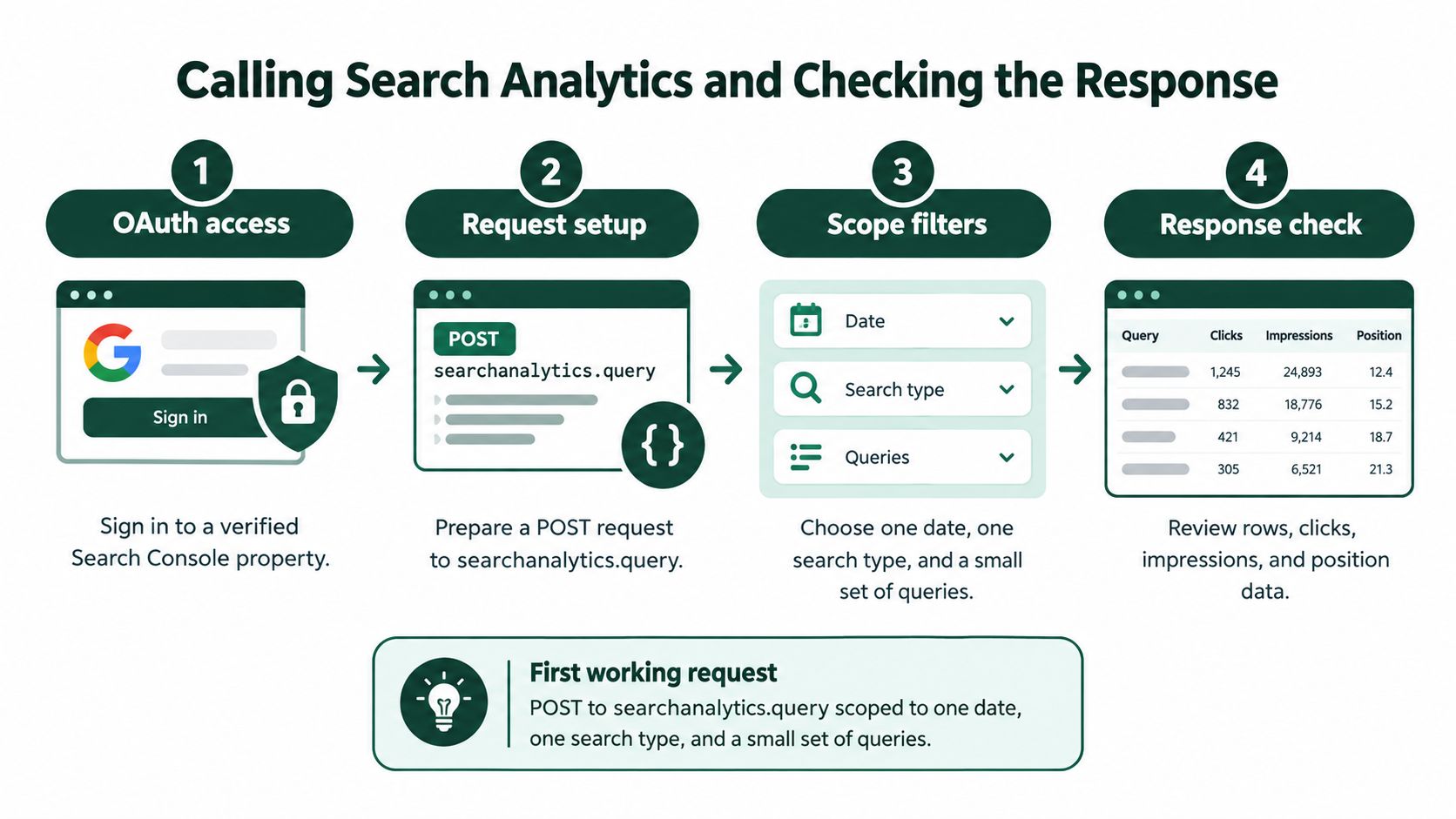
The request can ask for up to 25,000 rows, then advance with startRow when another page is needed. A simplified body might look like this:
{
  "startDate": "2026-10-20",
  "endDate": "2026-10-20",
  "type": "web",
  "dimensions": ["query", "page", "country", "device"],
  "rowLimit": 25000,
  "startRow": 0
}
A shortened response row can include the metrics and dimension values together:
{
  "keys": ["example product", "https://shop.example/product", "usa", "mobile"],
  "clicks": 12,
  "impressions": 420,
  "ctr": 0.0286,
  "position": 5.4
}
These values are illustrative only, not a benchmark or claim about a real property. In production, store each response with its request dimensions and date, then normalize those dimensions before calculating day-over-day changes. If yesterday's request grouped by query and page but today's also filters by device, the populations differ. A position shift in that comparison may be a filter artifact rather than a ranking change.
Paginate, then label what's missing
Google documents a maximum exposure of 50,000 rows per day per search type, sorted by clicks, and doesn't guarantee that every possible row will be returned (Search Analytics data retrieval guidance). Pagination helps retrieve available rows; it doesn't make the API a complete database of every search query.
Check the same property, dates, search type, and filters in the Search Console interface. Don't expect a perfect match. Low-volume or sensitive queries can be anonymized and omitted from tables while still contributing to chart totals, and filtering can make totals behave in ways that don't add up cleanly.
When the API returns fewer rows than expected, record a missing-row or coverage note. Don't fill the gap by inventing keywords or assuming an absent row means zero impressions. A daily snapshot with honest completeness labels is more useful than a tidy table that claims certainty the endpoint doesn't provide.
Quotas Freshness and a Sane Sampling Cadence
The hard part at scale isn't forming the request. It's deciding which requests deserve quota and how to handle results that are incomplete or still settling. The limits below make one-request-per-keyword-per-country-per-device a poor default for a multi-site tracker.
| Constraint |
Documented limit |
What to do with it |
| Default response size |
1,000 rows |
Treat it as a small initial page, not a full export. |
rowLimit |
Up to 25,000 rows per request |
Request larger batches when the dimensions justify them. |
| Paginated exposure |
Up to 50,000 rows per day per search type |
Use startRow, and track when returned data stops. |
| Daily property cap |
50,000 rows per day per property per search type |
Prioritize useful slices; don't promise full query coverage. |
| Site and user request rate |
1,200 queries per minute each |
Queue and pace requests instead of bursting. |
| Project request rate |
40,000 queries per minute |
Manage concurrency across collectors and properties. |
| Project daily ceiling |
30,000,000 queries per day |
Budget quota across the full reporting workload. |
Google also describes short-term load quotas measured over 10-minute windows and long-term load quotas over a day. The published limits and load constraints are documented in Google's Search Console API usage limits. A collector needs to account for both request rate and the broader workload, not just whether an individual call succeeds.
Spend calls where they change a decision
A practical collector starts with broad daily aggregates, then requests query-page detail for segments showing material movement. Cache historical responses that won't change, use idempotent request keys so retries don't double-count, and send quota errors through exponential backoff with jitter. A queue lets you prioritize valuable segments first and defer lower-priority detail until the workload allows.
Freshness needs similar restraint. The newest Search Analytics data may be incomplete or unstable; practical reporting commonly allows roughly two days for it to settle (Google's performance-data guidance). Mark the newest observations provisional, and keep your own daily snapshots so you can analyze history without relying on repeated retrieval.
A sensible schedule doesn't collect every possible combination every time. It gathers broad trends routinely, drills into selected movements, and preserves missing-row metadata. That spends quota on signals a team can act on instead of manufacturing false precision.
Handling SERP Volatility Without a Fake Rank Score
A Search Console average position is not a daily rank. It aggregates impressions across searches, so a reported position can coexist with very different result pages across locations, devices, and queries. Position 3 may sit below an AI Overview, local pack, or shopping module, and the average does not show how prominent the result appeared.
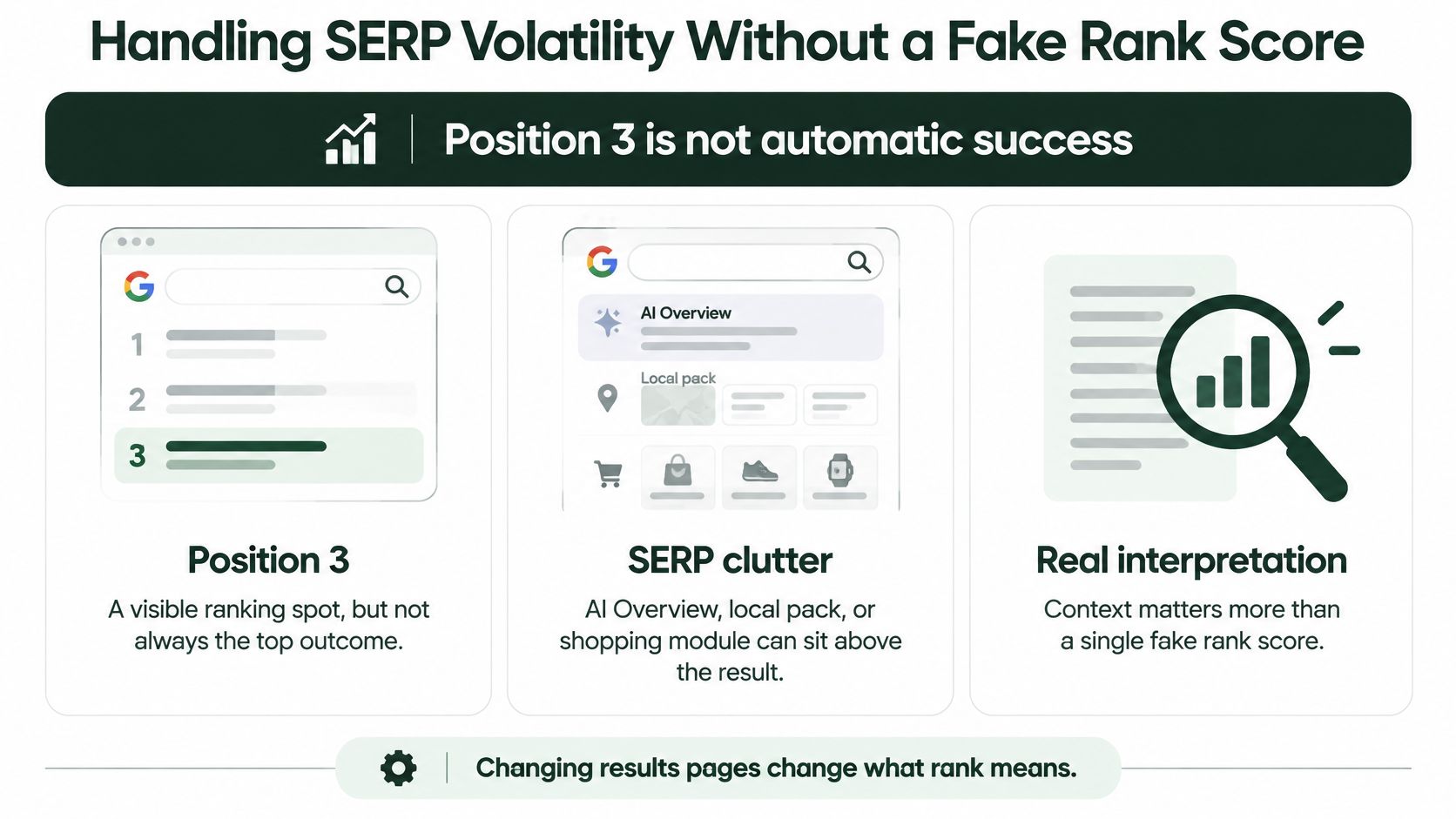
AI Overview presence also changes over time. Semrush's analysis of more than 10 million keywords found trigger rates rising from 6.5% in January 2025 to just under 25% in July, then falling below 16% in November (Semrush's report on AI Overview trends). A dashboard that assumes a feature appears consistently will misread changes in the search results.
Keep three outcomes separate:
- Classic position: A location- and device-specific external SERP check, labeled with its provider and query setup.
- Feature presence: Whether the page shows an AI Overview, local pack, shopping module, or another relevant feature, and whether the site is cited when the check supports that detail.
- Clicks: First-party Search Console clicks and impressions, interpreted as owned-site performance rather than a snapshot of one results page.
These measures answer different questions. Search Console aggregates performance for the property; an external SERP check captures a specific query under a particular location and device setup. A feature appearing in a result page does not, on its own, establish a change in clicks. Track the measures separately over time, segmenting external checks by market and device, rather than combining them into a single rank score.
Dashboards Alerts and Where AutoSEO Fits
Three approaches work for different teams. A custom collector gives engineers control over dimensions, history, and dashboard logic, but they own the queue, retries, normalization, and alert rules. A third-party SERP API adds location-specific, device-specific, or competitor checks that Search Console doesn't provide, but its values must remain labeled as external observations.
The comparison fails when a dashboard treats an impression-weighted Search Console average as if it were interchangeable with a single checked SERP position. Put the source and measurement type on the chart or tile. That small bit of labeling prevents a legitimate difference between two measurement systems from looking like an API bug.

A third option is to run tracking inside a broader SEO platform rather than maintain a separate measurement stack. AutoSEO combines selected-keyword and indexed-page tracking with traffic signals, Google Search Console data, and a DataForSEO fallback. It also monitors competitors in the same console and sends weekly email digests, which suits operators who need a report they can act on without wiring every component themselves.
Design alerts to earn attention
An alert shouldn't fire just because a position field moved. Wait until recent data has settled, then require meaningful position movement alongside a change in clicks or impressions. Suppress or flag noise that could come from anonymized-query gaps rather than presenting it as a confirmed loss.
For agencies, multi-site management and white-label reporting can reduce the manual work of copying figures between client tools. AutoSEO also monitors citations across ChatGPT, Claude, Gemini, Perplexity, and Google AI Overviews, giving teams a feature-level view alongside the classic rank and traffic signals.
The practical choice is straightforward: build a collector if you need control and can maintain it; add an external SERP feed if precise location and competitor checks are essential; or use a combined platform if you want tracking, monitoring, and reporting together.
A short product walkthrough can help teams compare the workflow before deciding how to build their own:
Put a Reliable Tracker into Production
Before you trust a dashboard or alert, check that every row can be interpreted later. Keep request settings with the data, make provisional observations visible, and document whether a number came from Google's aggregated reporting or an external SERP check.
Use this checklist to put the measurement into routine operation:
- Confirm the property and search type: Make sure the collector queries the intended verified property and separates web, image, or other search types.
- Save daily snapshots: Store date, query, page, country, device, clicks, impressions, CTR, and position with each applicable response.
- Mark recent data provisional: Don't treat the latest observations as settled until they've had time to stabilize.
- Reconcile a sample: Compare matching filters in the API and Search Console interface, then log differences rather than forcing a false match.
- Make alerts multi-signal: Trigger on position movement only when clicks or impressions provide supporting context.
Two checks catch issues that a standard dashboard can hide. First, benchmark completeness by measuring the share of clicks represented in returned rows; row count alone doesn't show whether the extraction captured the traffic that matters. Second, never plot a third-party rank on the same axis as Search Console position without a source label. One is a specific SERP observation, the other an aggregate, and the chart must preserve that distinction.
If your team will maintain the code, implement the collector as a sequence: cache stable history, fetch broad aggregates, request detail when movement warrants it, retry with jitter, and log missing-row conditions. If you don't want to operate that pipeline, connect Search Console in AutoSEO, select the keywords and pages already earning impressions, and enable rank and AI-visibility monitoring with the weekly digest. Start with the signals your team can act on, not a raw export.
Use AutoSEO to combine Search Console signals, selected-keyword tracking, competitor monitoring, and AI-visibility checks in one workflow. Connect your property, choose the pages and queries you want to monitor, and turn the first report into a practical list of next actions.
Stop doing SEO by hand
Build your SEO content plan with AutoSEO
Scan your site, build a keyword plan, and AutoSEO writes your plan's articles. Review the drafts and connect your site for publishing. $39/mo per website, cancel anytime, 30-day money-back guarantee.
$39/mo per website · Cancel anytime · 30-day money-back guarantee