87% of SEO professionals use AI regularly, and an automated SEO platform connects search data, technical audits, content creation, publishing, and measurement into one recurring workflow. It turns disconnected SEO tasks into a system that finds opportunities, assigns work, ships changes, and checks what happened next.
But does a tool that generates a content brief or sends a weekly ranking report really automate SEO? That question exposes the gap in conventional thinking. Automation isn't a magic feature toggle. It becomes useful when one action creates the input for the next action, and the resulting change returns to the measurement layer.
That distinction matters because SEO teams often work across separate keyword tools, crawlers, writing assistants, CMS plugins, spreadsheets, and reporting dashboards. Each tool may perform its own job well, yet the team still has to move data between them, decide what matters, request approval, publish updates, and remember to measure the outcome. A real platform reduces those handoffs.
Table of Contents
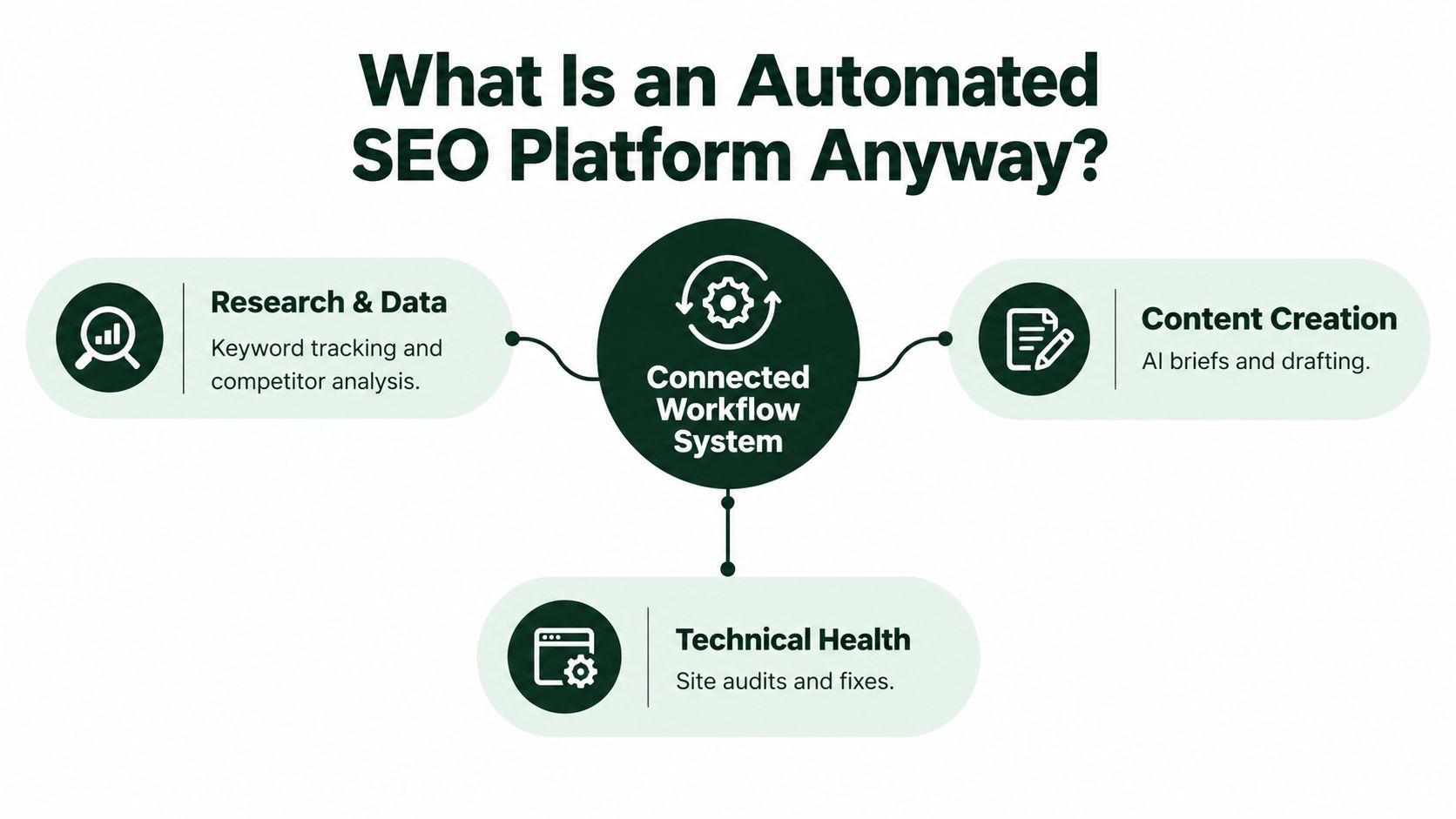
An automated SEO platform is software that coordinates the main operating cycle of search engine optimization. It gathers demand and performance data, identifies content or technical gaps, turns those gaps into prioritized tasks, supports production and publishing, and measures the effect after search engines recrawl the site.
Think of it as a control system rather than a toolbox. A toolbox gives you a crawler, a rank tracker, and a content editor. A control system connects those components so that a visibility problem can become a specific assignment. For example, a page with impressions but few clicks might trigger a title and intent review. An orphaned page might enter an internal-linking queue. A content gap might become a brief that a writer reviews before publication.
A fragmented workflow usually looks like this:
- An SEO specialist exports data from one system.
- Someone cleans and interprets it in a spreadsheet.
- A writer receives a separate brief.
- A developer receives technical recommendations elsewhere.
- A content manager publishes through the CMS.
- A report is assembled later, often without connecting the change to the original task.
This process creates delays and weak accountability. People may know that rankings changed, but not which work caused the change or which recommendation still needs implementation.
A closed-loop workflow keeps the chain visible:
- Research: Search Console, crawl data, competitor signals, and demand data reveal an opportunity.
- Prioritization: The platform scores or organizes the opportunity by relevance, feasibility, and likely business value.
- Execution: A person reviews the recommendation, drafts content, fixes an issue, or approves a publishing action.
- Validation: The platform checks rankings, impressions, clicks, indexation, traffic signals, or AI visibility after the change.
- Iteration: The result informs the next task instead of disappearing into an old report.
For a deeper explanation of how SEO platforms consolidate data, look for discussions that focus on connected datasets and workflows, rather than the number of features listed on a pricing page.
Practical rule: If a platform can show an opportunity but can't help your team assign, approve, publish, and measure the response, you're looking at an SEO reporting tool or a collection of modules, not a complete operating system.
The phrase “automated” also doesn't mean “unsupervised.” Human judgment still decides whether a topic fits the business, whether a recommendation is technically safe, and whether a draft represents the brand accurately. The platform should remove repetitive coordination work while preserving review at decisions that carry strategic, editorial, or technical risk.
Core Features and What They Actually Do
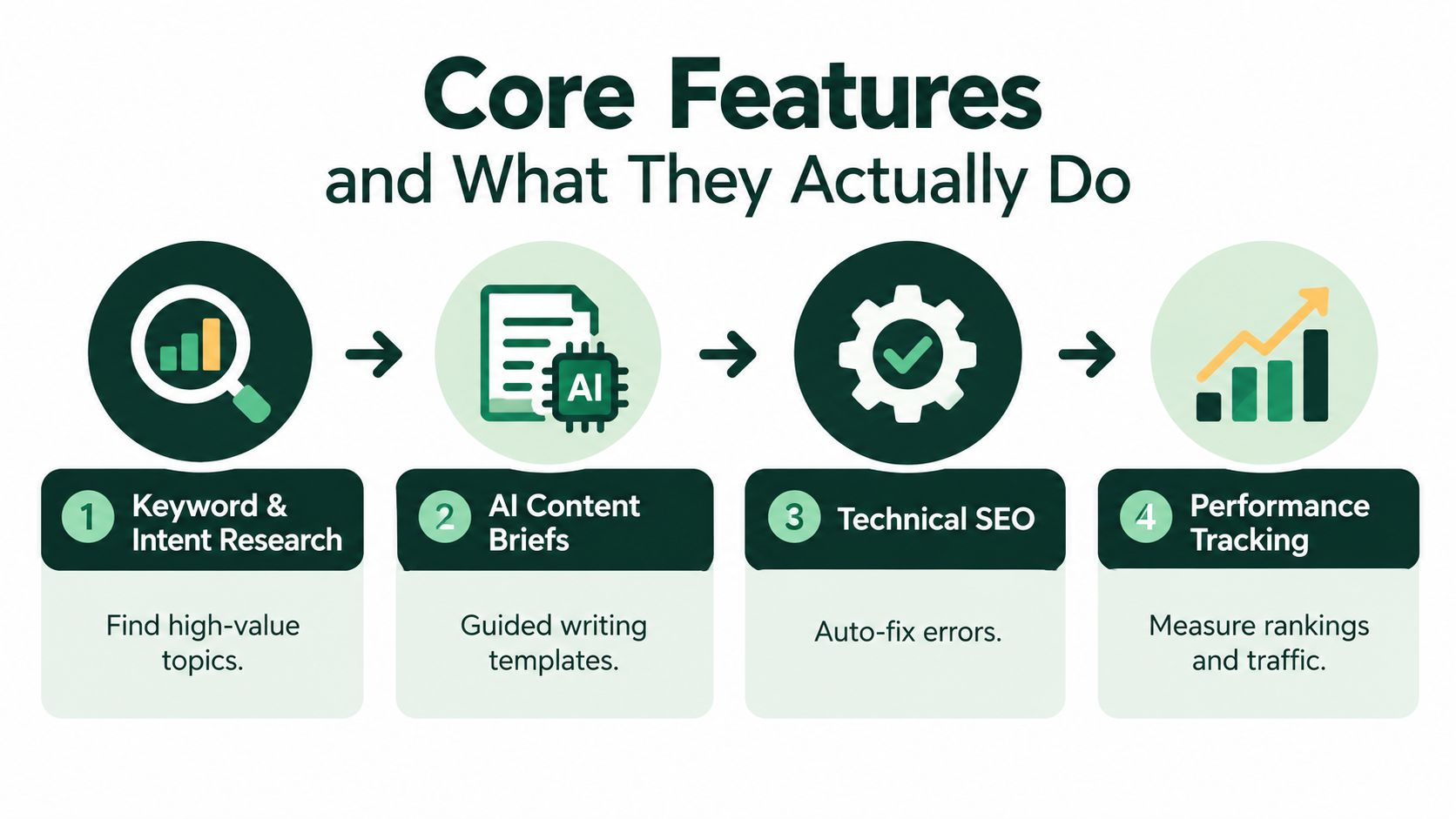
A useful way to understand an automated SEO platform is to treat it like a production line. Raw signals enter at one end. The team turns those signals into approved changes. Performance data then returns to the beginning, helping the next production cycle make better decisions.
The five stages below describe the handoffs that separate a connected platform from a dashboard wrapper.
Research identifies the work worth doing
The first stage combines several kinds of evidence. Google Search Console data shows how a site already performs in search. Crawl data shows which URLs search engines can discover and render. Sitemap information reveals the site's intended structure, while competitor and demand signals help identify subjects the existing site hasn't covered well.
This combination prevents a common mistake: choosing targets from search volume alone. A page with existing impressions may be closer to meaningful visibility than a completely new topic, while a technically inaccessible page may need repair before more content can help. Google describes crawlable content as the substrate for visibility in AI and traditional search, and it positions Search Console as a measurement layer for performance in Google Search through its AI search optimization guidance.
The practical output should be a prioritized opportunity queue, not a giant keyword export. Each item needs a target URL or content destination, an intent interpretation, a recommended action, and enough context for a human to approve the work.
Content briefs turn research into instructions
A content brief is the handoff between strategy and production. A strong automated brief can identify the primary topic, related questions, likely search intent, suggested structure, internal-link opportunities, metadata requirements, and schema considerations.
AI drafting can then produce a first version, but the draft still needs editorial review. The writer should check factual accuracy, originality, audience fit, brand voice, and whether the article answers the genuine question rather than mechanically repeating terms. Automation is most helpful when it gives the writer a well-organized starting point and carries approved recommendations into the CMS.
A platform should also preserve the relationship between the brief and the finished page. If the brief targeted a comparison intent but the published article became a generic introduction, the workflow should make that mismatch visible.
Technical audits create an ordered repair queue
A crawler can discover broken links, redirect chains, duplicate or missing metadata, orphan URLs, schema issues, slow templates, and internal-linking gaps. Search Console adds performance and coverage signals that a crawl alone can't provide. Together, they help a team distinguish a harmless warning from a defect affecting valuable pages.
The highest-impact audit areas commonly include indexation, redirects, schema, speed, and internal linking. Modern audit guidance recommends combining full-site crawls with Search Console coverage and Core Web Vitals so teams can prioritize issues by severity and potential traffic impact, as outlined in this technical SEO audit checklist.
A useful queue might place a blocked product category above a missing image attribute, or a redirect chain on a high-demand page above a low-impact metadata suggestion. The software can organize the evidence, but the team still needs to confirm the proposed fix before changing templates or routing.
Publishing connects approved work to the website
The publishing stage is where many “automated” workflows stop. A platform may create a draft, but someone still has to copy it into WordPress, Shopify, Webflow, or another CMS, add links, check schema, set the status, and schedule publication.
A connected system can send approved content and metadata to the publishing destination, retain an approval record, and make the release part of the same task. That reduces copy-paste errors and gives the SEO team a clear answer to a basic operational question: Was the recommendation implemented?
Publishing automation should include safeguards. Draft and scheduled states are often more appropriate than immediate publication, especially for regulated subjects, product claims, or pages that affect navigation and templates.
Measurement closes the cycle
The final stage tracks what changed after implementation. It may monitor rankings, indexed pages, impressions, clicks, traffic signals, conversions, crawl status, or visibility in AI-generated answers. The exact metrics depend on the business, but the principle is consistent: every major task should have a measurable follow-up.
Teams that want a practical framework for turning results into recurring decisions can use this guide to structure automated SEO reporting. A report is useful when it answers what changed, what caused the change, what remains blocked, and what the team should do next. A collection of charts without those decisions is only a prettier spreadsheet.
SEO automation has moved from an experimental add-on to an operational workflow because teams now use AI across several connected activities. A 2026 survey of 97 SEO professionals found that 87% use AI regularly, while 51% said AI is embedded across several core workflows or central to delivery. Among teams where AI is central to delivery, 81% save at least seven hours per week, according to the State of AI and Automation in SEO survey.
Those figures don't mean every SEO task should run without review. The same survey found that 77% already use AI for content briefs, while 58% avoid fully automating content writing and 51% avoid fully automating link building. The pattern is clear. Teams are comfortable automating research, organization, and preparation, but they still want people involved when quality, relationships, and judgment matter.
Integration matters more than feature count
A standalone writing assistant can produce words. A crawler can identify defects. A rank tracker can show movement. None of those outputs automatically creates a completed SEO improvement.
The value appears when the system joins the steps. Search data can inform the brief. The brief can generate a draft with internal links and metadata. The published page can enter a monitoring cycle. A ranking or indexation change can then update the priority of related tasks.
Market forecasts reflect the commercial importance of this shift. One projection puts the AI search optimization software market at USD 1.03 billion in 2025, USD 1.23 billion in 2026, and USD 3.32 billion by 2031, with a projected 21.97% CAGR from 2026 to 2031. A separate forecast values the broader AI-powered SEO software market at USD 2.30 billion in 2025 and projects USD 11.08 billion by 2035, with a 17.05% CAGR over 2026 to 2035, as summarized by Mordor Intelligence's AI search optimization software market research.
Feature count tells you what a platform can do. Workflow depth tells you what your team can finish.
Human review remains part of the design
More automation can also create more mistakes if the inputs are poor or the controls are weak. A platform may select a keyword that conflicts with the product, recommend a link that changes the user journey, or draft a claim that requires legal review.
The right design uses approval gates, role permissions, change histories, and clear overrides. Specialists can inspect technical details, while generalists can approve routine content tasks without needing to understand every crawler field. Automation should make good decisions easier to repeat, not make questionable decisions harder to stop.
The same logic applies beyond SEO. Teams evaluating why automated creative testing works can apply a similar principle here: repeated systems produce useful learning only when the team defines the inputs, controls the variables, and measures the result consistently.
Use Cases and Who Benefits Most
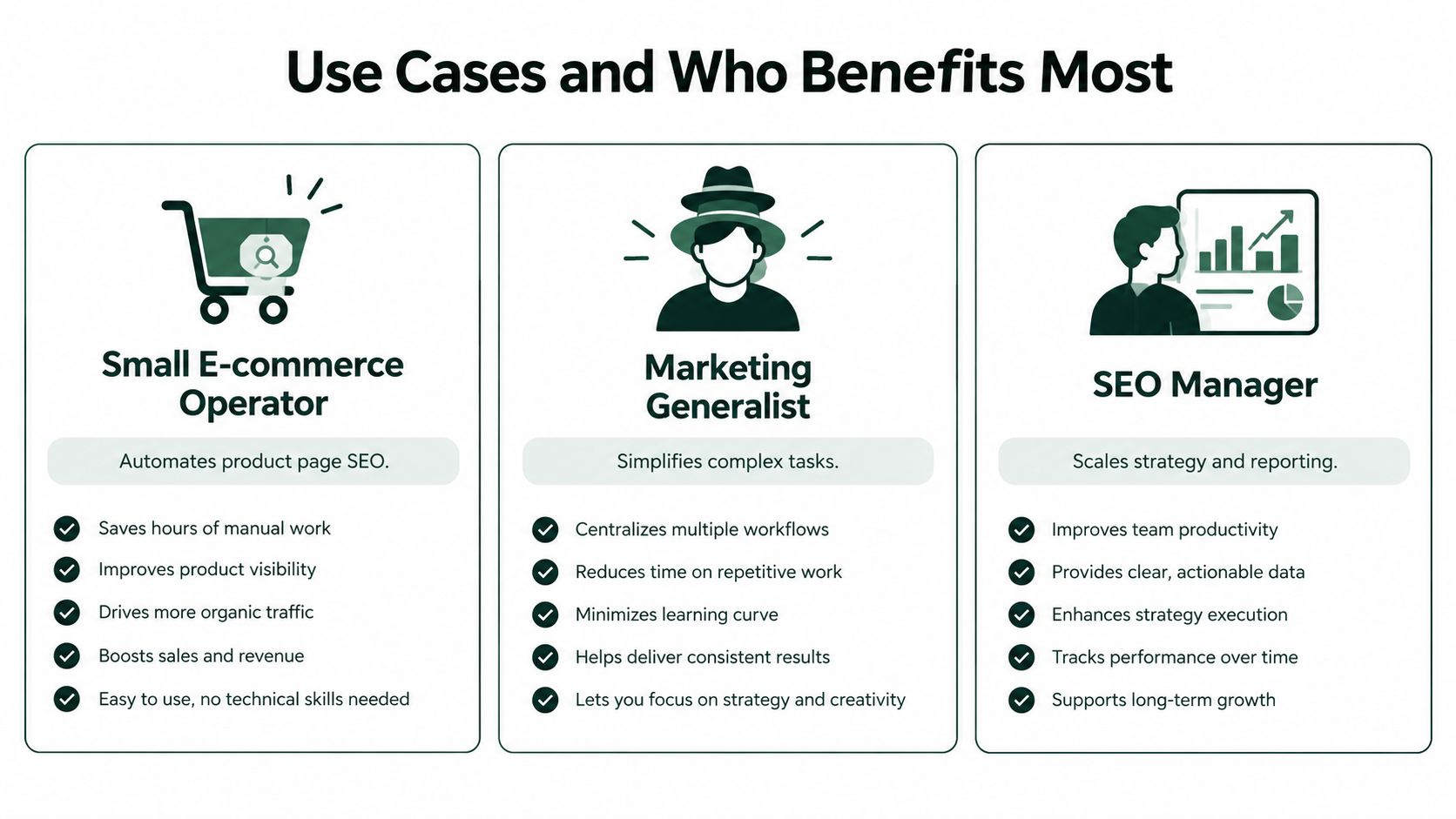
The best platform depends less on the size of the feature list than on the shape of the team's work. A small store, a B2B content department, and an agency may all need keyword research and audits, but they won't use the workflow in the same way.
Small e-commerce operators
An online store usually has many pages with similar templates, including products, collections, filters, and editorial content. The useful automation is practical: identify missing or weak metadata, surface internal-linking gaps, prepare product or category briefs, and move approved changes into the CMS.
The operator still needs to review product facts, availability language, claims, and tone. Automation can handle repetitive page analysis, but it shouldn't invent specifications or publish changes that haven't been checked.
Marketing generalists
A generalist may manage SEO alongside paid campaigns, email, social media, and website updates. For this person, the biggest benefit is a clear queue that explains what to do next. Instead of learning several specialist interfaces, they can review a recommendation, understand its reason, assign it, and track its status.
The platform should explain technical issues in plain language. “Canonical conflict on a collection page” is less useful than a clear description of which URL search engines may prefer, why that matters, and what approval is needed before changing it.
Content and SEO managers
A dedicated manager usually needs stronger planning and governance. They may map topics to funnel stages, maintain editorial standards, coordinate writers, and connect content work with technical improvements. Their priority is not just producing more drafts. It's maintaining a reliable relationship between intent, page purpose, internal links, publication, and performance.
A content manager should be able to compare the original brief with the published page, inspect changes, and send underperforming content back into a refresh workflow.
Agencies and publishers
Agencies need multi-site organization, reusable processes, client-friendly reporting, and controlled access for different team members. A publisher may care more about rapid editorial workflows, crawl health, and protecting large libraries from accidental changes.
The selection criteria change with the audience:
| Audience |
Most important capabilities |
Main risk to avoid |
| Small e-commerce operator |
CMS publishing, product and category workflows, technical alerts |
Publishing unreviewed claims or template changes |
| Marketing generalist |
Plain-language priorities, guided approvals, connected reporting |
Receiving data without clear next actions |
| SEO manager |
Intent mapping, crawl depth, task assignment, performance history |
Producing recommendations that nobody implements |
| Agency |
Multi-site controls, team roles, white-label reporting, centralized workflows |
Rebuilding the same process separately for each client |
| Publisher |
Editorial queues, internal links, indexation monitoring, change history |
Growing a content library faster than the team can maintain it |
A practical content workflow might begin with an existing page that receives impressions but doesn't attract enough clicks. The platform identifies the page, proposes a brief for a title and content refresh, routes the draft for approval, publishes the update, and monitors the next performance cycle. Guidance on building an SEO content brief can help teams define what writers need before drafting starts.
The right question isn't “Can this platform do SEO?” Nearly every modern vendor can make that claim. Ask instead: Which person receives the recommendation, what happens after approval, where is the change published, and how does the system prove that the work mattered?
Common Misconceptions About SEO Automation
Automation replaces strategy
It doesn't. Software can cluster topics, identify patterns, and prioritize tasks, but the business still decides which audiences matter, which products deserve attention, and which opportunities fit the brand. Without those decisions, automation can scale irrelevant work.
A good platform makes strategy more executable. It turns a plan into assignments and recurring checks. It doesn't create a business strategy from an empty context.
AI content alone drives rankings
A draft is an input to editorial work, not a guarantee of visibility. Search performance depends on usefulness, relevance, accessibility, crawlability, site structure, and the credibility of the overall experience. AI can accelerate outlining and drafting, but a person must verify facts, improve the explanation, and make the page genuinely appropriate for the reader.
Technical SEO is optional if content is strong
A strong article can't help much if the intended page is blocked from crawling, excluded from indexation, disconnected from the site, or difficult to render. Technical SEO doesn't replace content quality. It creates the conditions in which content can be discovered, understood, and measured.
A dashboard proves improvement
A dashboard proves that data has been collected. It doesn't prove that recommendations were implemented or that a business outcome followed.
Measurement test: Every important chart should lead to a decision, and every important decision should lead to an observable change.
A real platform connects the dashboard to task status, publishing history, and outcome tracking. If it only displays rankings after someone has manually assembled the work elsewhere, it may be useful reporting software, but it isn't closing the SEO loop.
Start with one workflow that causes visible friction. Choose a recurring problem, such as technical audit triage, content brief production, or CMS publishing. A narrow pilot makes it easier to test whether the platform connects the complete sequence instead of demonstrating isolated features.
Check the workflow before the feature list
Ask a vendor to demonstrate a real scenario using your site or a representative sample:
- Can the platform import or connect to first-party search data?
- Can it compare that data with crawl and demand signals?
- Does it turn the finding into a task with an owner and priority?
- Can a person review and approve the recommendation?
- Does approved work reach the correct CMS or publishing destination?
- Does the system report the result against the original task?
If the demonstration stops at an export, the workflow still depends on manual coordination. That may be acceptable for a specialist tool, but you should evaluate it clearly rather than treating it as end-to-end automation.
Inspect controls and integrations
Data access determines recommendation quality. Look for connections to Google Search Console, analytics, sitemaps, crawlers, CMS platforms, and any demand or competitor datasets that your team already trusts. Then inspect the practical details, including refresh cadence, error handling, permissions, export options, and whether the platform keeps a history of changes.
Approval controls deserve equal attention. A content writer, SEO specialist, developer, and client contact may need different permissions. The system should show who approved a change, what changed, when it was published, and how to reverse or correct it.
Run a measurable pilot
Choose a defined group of pages or one repeatable content workflow. Record the starting condition, the tasks created, the tasks completed, and the measurement window. Don't judge the pilot by the number of recommendations produced. Judge it by whether your team shipped appropriate changes with less friction and gained a clearer view of the outcome.
Use this implementation checklist:
- Define the input: Connect search performance, crawl data, sitemap information, and relevant business context.
- Set the queue: Decide which issue types and opportunity signals deserve priority.
- Assign ownership: Give content, technical, and approval tasks named owners.
- Test publishing: Send a controlled draft or scheduled update to the intended CMS.
- Set measurement: Choose the performance and visibility signals that will confirm progress.
- Review the cycle: Hold a recurring review to keep, revise, defer, or reject recommendations.
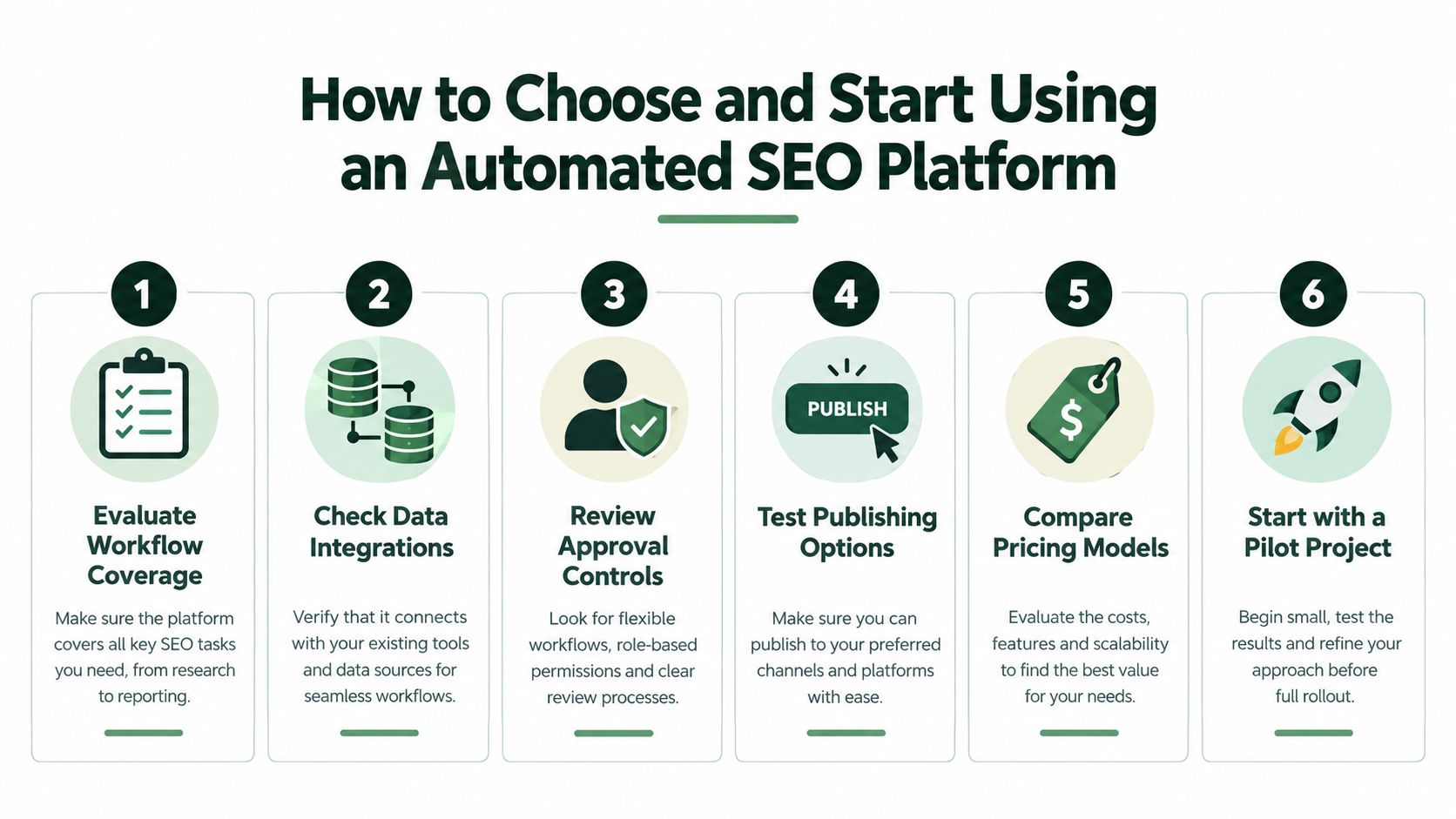
Pricing should be evaluated against the workflow you need, including sites, users, crawl coverage, publishing destinations, reporting, integrations, and support. A low-cost tool that leaves your team manually moving data may cost more in operating time than a focused platform that completes the handoffs.
Making Automation Work as a Sustainable System
An automated SEO platform stays useful when the team treats it as an operating rhythm, not a one-time setup. Keep data connections healthy, review audit queues, maintain content approvals, and compare published work with its measured outcome. Governance matters as much as software, especially when several people or sites share the workflow. A practical framework for connecting SEO activity with business outcomes is SEO and ROI measurement.
The mental model is simple: research creates priorities, priorities create work, approved work changes the site, and measurement creates the next priorities. That loop is what separates durable automation from a reporting wrapper.
AutoSEO connects keyword research, AI-assisted briefs and articles, technical SEO tasks, CMS publishing, and performance tracking in one approval-first workflow. Visit AutoSEO to test a focused SEO automation process for your site and see whether it can turn recurring search work into measurable, repeatable operations.